Share the chill
Portable Fan Simulator
A free Portable Fan Simulator with three speeds, oscillation and real wind sound — blowing right at you. Sound on. 🔊
What Is the Portable Fan Simulator?
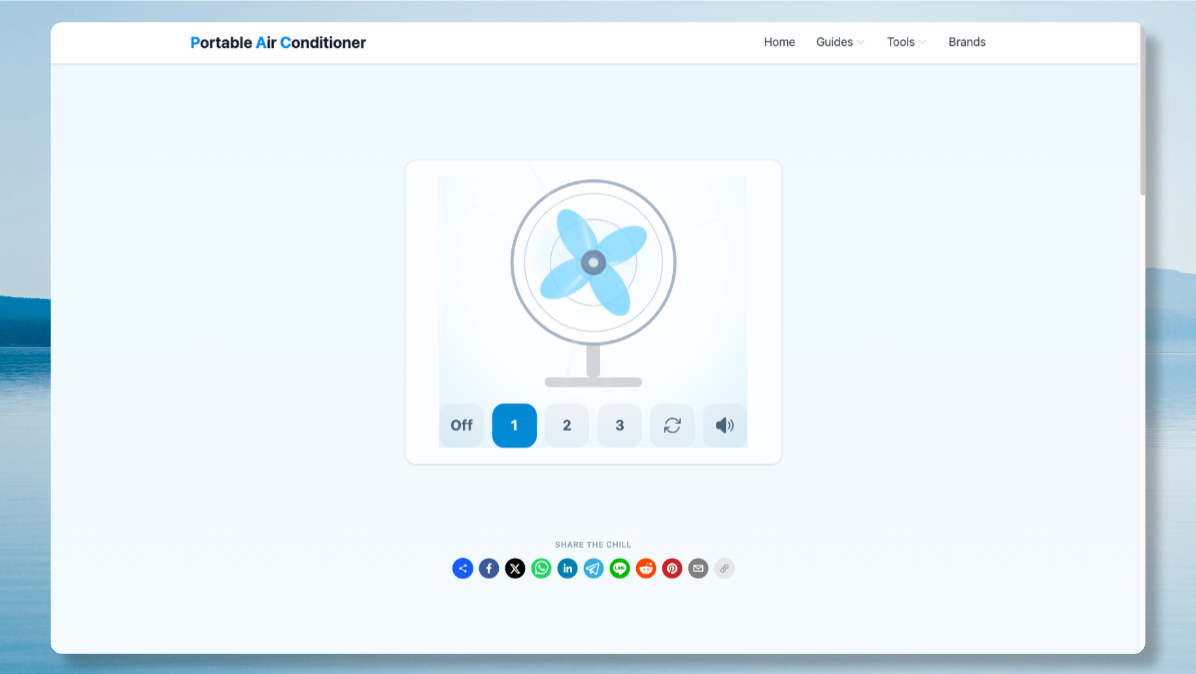
The Portable Fan Simulator is a free virtual desk fan you can spin up in any browser. It has three speeds, an oscillation toggle and wind noise that's synthesised live rather than played from a recording, so the Portable Fan Simulator sounds different at every speed, just like a real fan does.
How the Portable Fan Simulator Works
Tap 1, 2 or 3 in the Portable Fan Simulator to spin the blades faster, watch bright streaks of air burst outward from the hub toward you, and hit the oscillate button to make the whole head sweep side to side. Mute the Portable Fan Simulator at any point with the speaker icon — the wind noise is generated using the Web Audio API, filtered white noise brightening and loudening as the blades speed up.
Why Fans Feel Cooler Than They Are
A fan — real or in the Portable Fan Simulator — doesn't lower the air temperature at all. It speeds up the evaporation of sweat from your skin, and that evaporation is what actually cools you down. The steady hush also masks distracting noise, which is why so many people can't sleep without one. Above roughly 35°C, moving hot air across your skin can start to warm you up instead — a limit no fan, virtual or real, can get around.
Portable Fan Simulator Features
- Three fan speeds with distinct spin rates and wind volume in the Portable Fan Simulator
- An oscillation toggle that sweeps the whole fan head side to side
- Live synthesised wind noise using the Web Audio API — no recordings
- Bright wind-burst animation radiating outward toward you
- Instant load, no install, works on any phone or desktop browser
Portable Fan Simulator FAQ
Does the Portable Fan Simulator actually cool the room?
No — like a real fan, the Portable Fan Simulator only creates the sensation of airflow. It doesn't lower air temperature; it just speeds up evaporation, which is what makes moving air feel cooler on skin.
Is the wind sound in the Portable Fan Simulator real?
It's synthesised live in your browser with the Web Audio API rather than a recording, so the pitch and loudness genuinely track the fan speed you choose in the Portable Fan Simulator.
Can I oscillate the fan in the Portable Fan Simulator?
Yes — the oscillate button next to the speed controls makes the whole fan head sweep side to side, just like the oscillate switch on a real desk fan.
Is the Portable Fan Simulator free to use?
Yes, the Portable Fan Simulator is completely free, runs in your browser, and needs no sign-up or download.
More ways to stay cool
Want air that's actually cold? Browse real UK portable air conditioners — we compare them on noise, running cost and price.