Share the chill
Portable AC Simulator
Play with a free Portable AC Simulator — set the temperature, feel the cold air, no real air conditioner required. Sound on. 🔊
What Is the Portable AC Simulator?
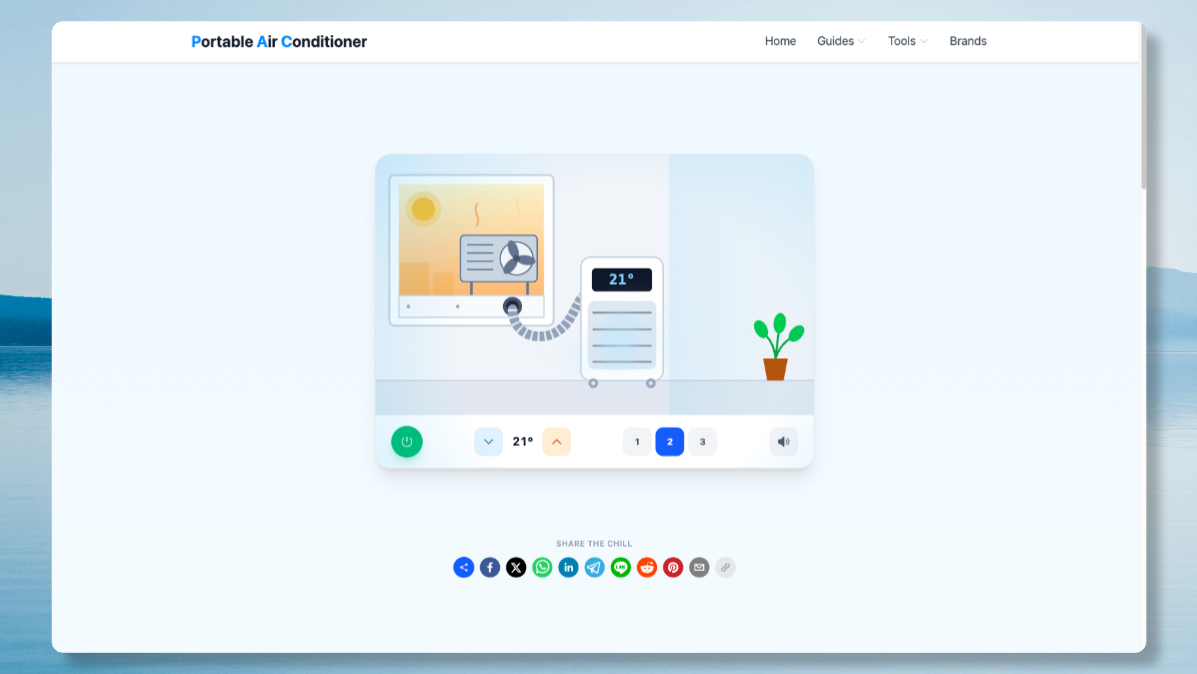
The Portable AC Simulator is a free, browser-based recreation of a real portable air conditioner. It shows the outdoor unit sitting outside a window in the heat, a hose running through a sealed vent channel, and the indoor unit blowing chilled air back into the room and out of your screen at you. There is nothing to install and nothing to plug in — the Portable AC Simulator runs entirely in your browser, using CSS and the Web Audio API to fake the hum, the airflow and the cold haze of a real unit.
How the Portable AC Simulator Works
Press power to switch the Portable AC Simulator on, then use the blue and orange arrows to move the set temperature between 16°C and 30°C. The colder you set the Portable AC Simulator, the harder and louder the airflow gets, and the more the on-screen plant sways in the breeze. The 1-2-3 buttons change fan speed independently of temperature, and the speaker icon mutes the synthesised hum. Every control in the Portable AC Simulator maps to something a real portable air conditioner does, just without the electricity bill.
Why Try a Portable AC Simulator Before You Buy
Real portable air conditioners vary hugely in noise, airflow and how convincing the cold actually feels once the vent hose is fitted. The Portable AC Simulator won't lower your room's temperature, but it does let you see exactly how a portable AC's window kit, hose and indoor unit fit together before you commit to buying one. If you like what the Portable AC Simulator shows you, our full buying guide compares real units by noise, running cost and price.
Portable AC Simulator Features
- Adjustable set temperature from 16°C to 30°C, just like a real portable air conditioner
- Three fan speeds that change airflow strength in the Portable AC Simulator
- Live synthesised compressor hum and airflow sound, mutable at any time
- A visible outdoor unit, vent hose and window kit — the parts a real installation needs
- Works instantly in any browser, on desktop or mobile, with no download
Portable AC Simulator FAQ
Is the Portable AC Simulator a real air conditioner?
No. The Portable AC Simulator is a free browser game that mimics how a real portable air conditioner looks and sounds. It won't actually cool your room, but the controls and airflow behaviour are modelled on real units.
Does the Portable AC Simulator use real sound?
The hum and airflow noise in the Portable AC Simulator are synthesised live using the Web Audio API — nothing is a pre-recorded sample, so the pitch and volume genuinely change with fan speed and temperature.
Can I use the Portable AC Simulator on my phone?
Yes. The Portable AC Simulator is fully responsive and works on any modern mobile browser — tap the power button, then the temperature arrows, exactly as you would on desktop.
Where can I find a real portable air conditioner like the one in the simulator?
Once you've played with the Portable AC Simulator, browse our UK brand comparison to see real portable air conditioners rated on noise, running cost and price.
More ways to stay cool
Want air that's actually cold? Browse real UK portable air conditioners — we compare them on noise, running cost and price.